How Etch Builder's Block Editor Integration Revolutionizes Client Content Management in WordPress
Finally, a solution that lets clients edit content safely while preserving your professional design structure
Introduction
Every WordPress professional knows this nightmare scenario: You spend weeks crafting a pixel-perfect website with a traditional page builder, hand it over to the client, and within days they’ve accidentally broken the layout trying to update a simple text block. Sound familiar?
This fundamental problem has plagued WordPress development for over a decade. Traditional page builders force an impossible choice: either lock clients out of content updates entirely, or give them access to complex interfaces where they can destroy your carefully crafted designs with a single misclick.
Etch builder changes everything.
As the first visual development environment designed for Era 4 WordPress development, Etch builder solves this client editing crisis through unprecedented integration with WordPress core blocks and the Gutenberg block editor. Here’s how this game-changing feature transforms both the developer experience and client relationship.
The Traditional Page Builder Problem: Why Client Editing Has Always Been Broken
Before diving into Etch builder’s solution, let’s examine why client editing has been such a persistent problem in WordPress development.
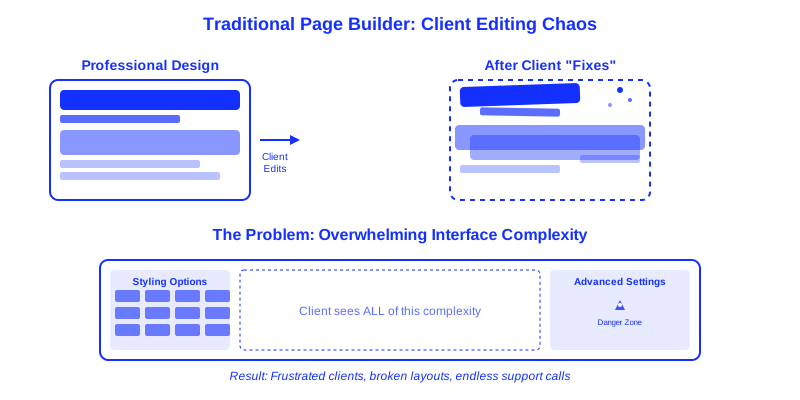
The Black Box Trap
Traditional page builders like Elementor, Divi, and even “professional” tools like Oxygen operate as black boxes. Everything you build gets stored in proprietary formats using custom post meta, shortcodes, or JSON structures that have zero relationship to WordPress core functionality.
When clients need to edit content, they’re forced into the same complex interface you used to build the site. They see every styling option, layout control, and structural element—creating countless opportunities for accidental destruction.
The Magic Area Nightmare
Worse yet, these builders scatter functionality across multiple “magic areas.” Want to edit a blog post? Go to the Posts screen. Need to update a testimonial? Navigate to a different custom post type interface. Want to modify homepage content? Back to the page builder.
This fragmented approach confuses clients and makes simple content updates feel like navigating a maze.
The Ultimate Compromise
Most professionals end up choosing between two unsatisfactory options:
- Lock clients out completely – Maintain design integrity but create dependency and frustration
- Give full builder access – Empower clients but live in constant fear of layout destruction
Neither solution serves anyone well. Clients feel helpless or overwhelmed, and developers spend too much time on support calls fixing broken layouts.
Etch Builder’s Revolutionary Approach: True Block Editor Integration
Etch builder fundamentally reimagines this entire dynamic through seamless integration with WordPress core blocks and the Gutenberg block editor. Here’s how it works:
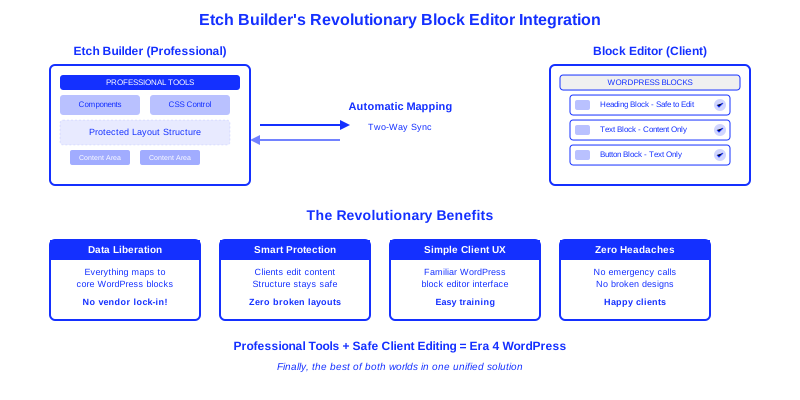
Automatic Core Block Authoring
When you build anything in Etch builder—whether it’s a complex layout, custom component, or simple content section—Etch builder automatically authors everything to native WordPress Gutenberg blocks behind the scenes.
This isn’t a simple export function or one-way conversion. It’s real-time, intelligent mapping that preserves the full structure and styling of your design while translating it into core WordPress elements that clients can safely interact with.
Two-Way Synchronization
Here’s where Etch builder’s innovation becomes truly remarkable: edits made in the block editor automatically sync back to Etch builder.
This bidirectional relationship means clients can make content updates in the familiar, simplified block editor interface, and those changes immediately appear in your Etch builder development environment. No data loss, no version conflicts, no confusion about which interface contains the “real” content.
Intelligent Content Locking
Etch builder goes beyond simple block mapping by implementing intelligent content locking. You maintain complete control over which elements clients can modify and which remain locked to preserve design integrity.
Structural elements, custom styling, layout containers, and design components remain protected, while content areas become safely editable through the intuitive block editor interface clients already understand.
Professional Etch Templates and Components Integration
The power of Etch builder’s block editor integration extends to Etch templates and components available through Etchberg.io. When you implement professional wireframes, components, or full site templates from the Etch ecosystem, the same intelligent block mapping applies.
This means you can start with sophisticated Etch templates and components designed by professionals, customize them for your client’s needs, and still maintain the perfect balance between design protection and content editability. Clients can update content within these professional-grade templates without compromising their structural integrity or responsive behavior.
How This Changes Everything for WordPress Professionals
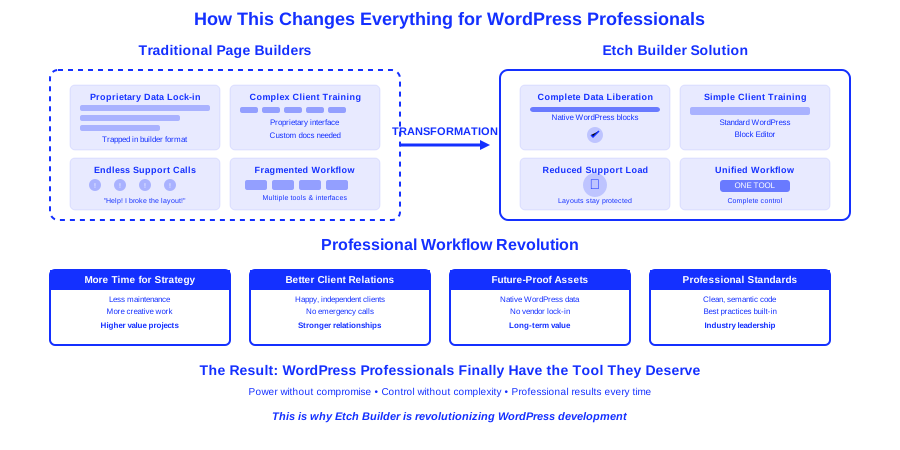
1. Complete Data Liberation
Unlike traditional page builders that trap your work in proprietary formats, every element you create in Etch builder becomes part of the core WordPress ecosystem. Your designs aren’t held hostage by a specific plugin or platform—they exist as native WordPress content that’s portable, backup-friendly, and future-proof.
2. Simplified Client Training
Instead of creating custom training materials for your specific page builder’s interface, clients learn to use the standard WordPress block editor—a skill that transfers across any WordPress site and requires minimal training.
3. Reduced Support Overhead
When clients can safely edit content without risk of breaking layouts, your support requests plummet. No more emergency calls about “broken pages” or screenshots of mangled designs that need immediate fixing.
4. Professional Workflow Integrity
You maintain complete control over the professional aspects of the site—CSS architecture, responsive behavior, performance optimization, and semantic HTML structure—while empowering clients to manage their content independently.
Practical Implementation: What This Looks Like in Practice
Building with Content Areas in Mind
When developing in Etch builder, you approach content areas differently than in traditional builders. Instead of creating rigid text blocks, you build content containers that map to editable Gutenberg blocks.
For example, a testimonial section might include:
- Locked elements: Layout structure, styling, responsive behavior
- Editable elements: Testimonial text, author name, author photo
In the block editor, clients see only the editable elements presented as simple, familiar blocks—no complex styling panels or layout options to accidentally modify.
Component-Level Content Management
Etch builder’s component system extends this principle to reusable elements. When you create a call-to-action component with dynamic content areas, those areas become manageable through the block editor while the component’s design and functionality remain protected.
This approach works seamlessly with Etch templates and components from Etchberg.io. Professional-grade components maintain their sophisticated design and responsive behavior while exposing only the necessary content areas for client editing.
Clients can update headlines, descriptions, and button text across multiple instances of the component, but they cannot accidentally modify the component’s styling, spacing, or responsive behavior.
Advanced Content Types Integration
For sites requiring custom post types and fields, Etch builder’s integration shines even brighter. Complex content structures built with Advanced Custom Fields or similar tools appear in the block editor as intuitive, organized content areas that clients can manage without technical knowledge.
Technical Advantages for Developers
Clean Code Output Meets Core WordPress
Etch builder’s block editor integration doesn’t compromise its commitment to clean code output. The HTML, CSS, and JavaScript generated by Etch builder remains semantic, lightweight, and standards-compliant while seamlessly integrating with WordPress core functionality.
Version Control and Collaboration
Since everything maps to core WordPress blocks, your Etch builder-built sites play nicely with version control systems, staging environments, and collaborative workflows. Content changes made through the block editor follow standard WordPress revision systems.
SEO and Accessibility Benefits
Content managed through core WordPress blocks inherits all the SEO and accessibility benefits of the native block editor, including proper heading hierarchies, semantic markup, and compatibility with accessibility plugins.
Why This Matters for Era 4 WordPress Development
Etch builder’s block editor integration represents a fundamental shift in how we think about professional WordPress development. Instead of working around WordPress core functionality, Etch builder enhances and extends it.
This approach aligns with the broader movement toward Era 4 development—professional tools that respect WordPress fundamentals while providing the power and flexibility modern web development demands.
Beyond Page Builders: Visual Development Environment
Traditional page builders create parallel ecosystems that compete with WordPress core. Etch builder creates a unified development environment that amplifies core WordPress capabilities while maintaining professional standards.
When combined with Etch templates and components from Etchberg.io, this creates an unprecedented ecosystem where professional-grade resources seamlessly integrate with core WordPress functionality.
Future-Proof Architecture
As WordPress continues evolving, sites built with Etch builder evolve alongside the platform rather than becoming increasingly isolated from core functionality. Your investment in Etch builder-built sites grows more valuable over time rather than becoming legacy technical debt.
Real-World Impact: What Professionals Are Saying
The response from WordPress professionals already using Etch builder’s block editor integration has been overwhelmingly positive:
“Everything you do and build inside the Etch editor syncs back to the Block Editor. I’m a believer now. This is going to revolutionize both Page Builder plugins, as well as WordPress’ Core Block Editor.”Remkus De Vries, Etch Customer
This isn’t just about convenience—it’s about fundamentally changing the relationship between developers, clients, and WordPress itself.
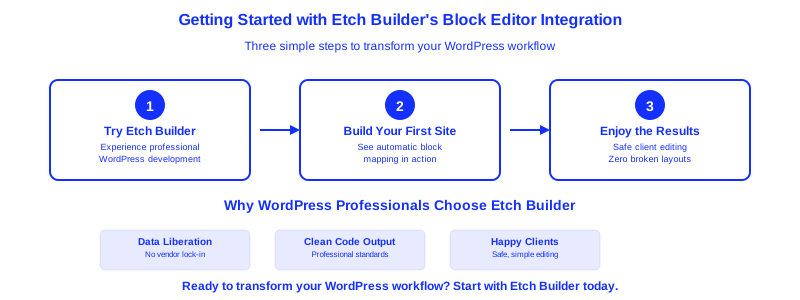
Getting Started with Etch Builder’s Block Editor Integration
If you’re tired of the constant tension between empowering clients and protecting your designs, Etch builder’s block editor integration offers a clear path forward.
For Current Page Builder Users
Migrating from traditional page builders to Etch builder means transitioning from a proprietary ecosystem to enhanced WordPress core functionality. Your clients gain editing freedom while your designs gain protection and portability.
For Hand-Coders and IDE Users
If you’ve been avoiding visual builders due to code quality concerns or client editing problems, Etch builder bridges the gap between professional development standards and practical content management needs.
For Agencies and Freelancers
Etch builder’s approach scales beautifully across client projects. Train your team once on block editor basics, and that knowledge applies to every Etch builder-built site in your portfolio.
Plus, with Etch templates and components from Etchberg.io, you can accelerate project delivery while maintaining the same level of professional quality and client-friendly content management.
The Future of Professional WordPress Development
Etch builder’s block editor integration isn’t just a feature—it’s a preview of what professional WordPress development looks like in Era 4. By respecting core WordPress principles while extending them through innovative visual development, Etch builder creates a sustainable, scalable approach to building modern websites.
The question isn’t whether this approach will become standard in WordPress development. The question is whether you’ll be an early adopter or play catch-up later.
For WordPress professionals ready to leave behind the compromises and frustrations of traditional page builders, Etch builder offers a clear path to better client relationships, cleaner code, and more sustainable development practices.
Experience the difference that true block editor integration makes. Explore Etch builder’s features and discover how Era 4 development can transform your WordPress workflow. Don’t forget to check out the professional Etch templates and components that make starting new projects faster than ever.